Email QR code generator
Generate easy & customizable Email QR codes in minutes
What is an Email QR Code?
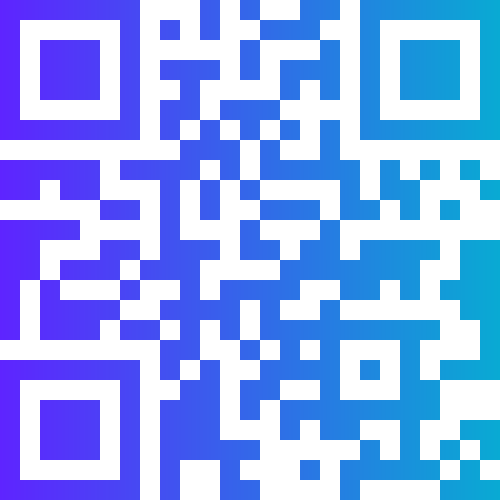
An email QR code uses the mailto: URI scheme to encode a recipient email address, subject line, and message body into a single scannable code. When a user scans it, their default email app opens with all three fields pre-filled — recipient, subject, and body. The user reviews the draft and taps Send. There is no typing, no copy-pasting, no hunting for an address.
This removes the single biggest barrier to email contact: the friction of finding and entering an address correctly. Especially in mobile-first contexts, where typing a full email address on a touchscreen keyboard is error-prone, a scan-to-email QR code is a meaningful quality-of-life improvement for customers and contacts.
How to Create an Email QR Code with QR Code Monkey
The email QR code generator in This generator takes under a minute and produces a professional, branded result.
Step 1: Fill in the Email Fields
Select the Email tab. Enter the destination email address. Then add an optional subject line and an optional body text. You do not need to fill all three — an address-only code is perfectly valid. However, pre-filling the subject and body is useful when you want structured incoming messages, such as support requests, competition entries, or order enquiries.
Step 2: Customise the Code
Apply your brand colours, pick a dot style, and add your logo for a professional finish. A well-designed QR code signals that it is safe and purposeful to scan.
Step 3: Download
Download as PNG, SVG, or PDF. Use SVG for business cards, letterheads, and print materials where resolution matters.
Where Email QR Codes Are Used
Business cards are the most common context — a QR code replaces or supplements a printed email address and makes contact instantaneous. Customer service documentation places email QR codes on product boxes, user manuals, and warranty cards so customers can reach support without hunting for contact details.
Event signage uses email codes for attendee feedback — "Scan to email your session feedback." Academic institutions use them on thesis posters and research displays to make correspondence with the researcher easy. Non-profits and charities use them on donation appeal mailings to provide a contact route that feels personal and low-barrier.
Best Practices for Email QR Codes
Keep subject lines short and descriptive. A subject like "SUPPORT REQUEST — [Product Name]" helps your team route and respond efficiently. Body pre-fills work best when they prompt rather than over-specify — "Hi, I am contacting you about..." lets the user complete their message naturally without feeling like they are sending a robo-form.
Make sure the email address encoded is monitored. An email QR code printed on a thousand product boxes creates a promise of contact — if the inbox is unmonitored or auto-replies are vague, it damages trust. Always test the code across iOS Mail, Gmail, Outlook, and at least one Android default mail app before printing at scale.
Frequently Asked Questions
Does the email QR code send automatically when scanned?
No. Scanning opens the email app with the fields pre-filled, but the user must manually tap Send. This is the same user-confirmation model as SMS QR codes — no automatic sending is possible from a QR scan. Users always have the opportunity to review and edit the draft before sending.
Which email apps does a mailto QR code work with?
The mailto: URI standard is supported by virtually all email clients — Apple Mail, Gmail, Outlook, Yahoo Mail, and every default Android mail app. The code opens whichever app the user has set as their default mail client. On devices with no mail app configured, the OS may prompt the user to set one up.
Can I track who scans and emails me using a QR code?
Static email QR codes do not include analytics — you can only see who contacts you through your inbox. If scan tracking is important, consider a dynamic QR code that redirects to a web-based contact form instead. This approach gives you full scan analytics and keeps the communication on a channel you fully control.
What is the character limit for the email body in a QR code?
Technically several thousand characters, but in practice keep pre-filled bodies short — under 200 characters. Longer text creates a more complex QR pattern that is harder to scan at small sizes. It also feels intrusive for users to see a very long pre-written message they are being asked to send on your behalf.
Email QR Codes for Professional Contact
Email QR codes on this platform support all three mailto: fields — recipient, subject, and body — and encode them in the standard format recognised by every major email client. There is no server involvement in static code generation, which means your email address and pre-filled content are never stored or processed outside your browser.
For teams that include QR codes on printed materials at scale — conference handouts, product boxes, corporate stationery — the Premium tier unlocks bulk generation from a spreadsheet, so you can produce department-specific or role-specific email QR codes (e.g., each support agent gets a code pre-addressed to their own email) without creating them one by one. All codes in a bulk run can share the same design template.
Can I use an email QR code to collect feedback or survey responses?
Yes. Pre-fill the subject line with a reference like "FEEDBACK - [Product Name]" and optionally prime the body with a prompt such as "My feedback is..." to guide responses. This works best for informal, qualitative feedback where a full web form would feel too formal. For structured feedback with multiple questions and ratings, a URL QR code linking to a Google Form or Typeform is more appropriate, as those platforms process and analyse responses automatically rather than routing them to a shared inbox.