vCard QR code generator
Generate easy & customizable vCard QR codes in minutes
What is a vCard QR Code?
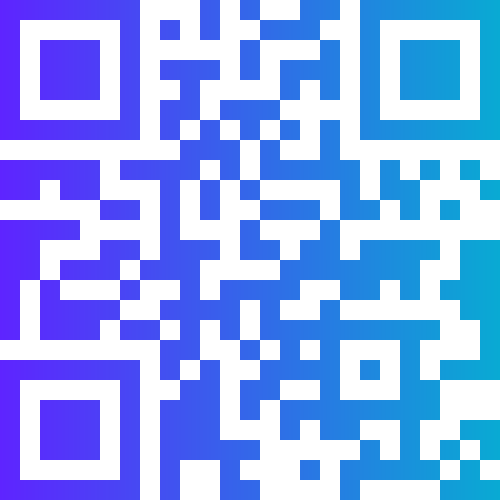
A vCard QR code encodes a full digital contact card in the vCard (VCF) format — including name, job title, company, phone numbers, email addresses, website, and physical address. When scanned, the phone displays the contact information and offers a one-tap option to save it directly to the device contacts book. It is the most complete and efficient way to share professional contact details from a physical medium.
The vCard standard (currently vCard 3.0 and 4.0) is supported by every major contacts application on iOS, Android, Windows, and macOS. A vCard QR code created once works for any recipient on any device without requiring an app download or any configuration.
How to Create a vCard QR Code with QR Code Monkey
The generator gives you a comprehensive vCard builder with support for all standard contact fields.
Step 1: Fill in Your Contact Details
Select the vCard tab. Fill in your first and last name, job title, organisation, primary phone number, secondary phone number if needed, email address, website URL, and mailing address. Include every detail you want saved in the recipient contacts book — you can include multiple phone numbers and emails for different contexts (direct line, mobile, office email, personal email).
Step 2: Design the Code
A vCard QR code on a business card should be large enough to scan cleanly — at least 2cm × 2cm — and the design should complement the card layout rather than compete with it. Use your brand colors and upload your company logo for a polished, intentional appearance.
Step 3: Download and Print
Download as SVG for business card printing to ensure sharp quality at the small size cards require. PNG works for digital sharing. Place the code prominently on your card with a short "Scan to save contact" label nearby.
Where vCard QR Codes Are Used
Business cards are the primary application, but vCard QR codes extend well beyond paper cards. Email signatures embed them as images so recipients can scan from screen. Conference name badges use them for speed networking — a quick scan saves all contact details without manual exchange. Exhibition stands display large-format vCard codes so visitors can save supplier details during a walkthrough.
Healthcare providers encode their practice details, including emergency contact numbers, in vCard codes on patient communication materials. Academic researchers include them on poster presentations. Freelancers add them to proposal documents and invoices. The common thread is any professional context where a contact needs to be reliably saved to a phone with zero friction.
Best Practices for vCard QR Codes
Only include fields you actively monitor. A vCard with a phone number, email, and website that are all real and current is far more valuable than one packed with every possible field where half are outdated. Contacts saved from a vCard code persist on the recipient phone for years — make sure every detail is accurate at the time of printing.
Test the saved contact on both iOS and Android before printing at scale. Field mapping occasionally varies between platforms — some fields may appear in different positions in the contacts app, or a secondary phone type label may display differently. Scanning and saving the contact yourself confirms the experience your recipients will have.
Frequently Asked Questions
What is the difference between a vCard QR code and a digital business card link?
A vCard QR code saves a contact directly to the phone contacts book using the VCF format — it works offline and does not require a web page. A digital business card link (URL QR code) opens a webpage with your contact details. The web version can be updated after printing, but requires internet connectivity. The vCard code is offline-first and saves natively to contacts, which many users find more convenient.
How much information can I include in a vCard QR code?
The vCard standard supports an extensive set of fields — multiple phone numbers, multiple emails, multiple addresses, website, social media profiles, birthday, and even a photo. However, more data creates a denser QR pattern. For best scan reliability, include the fields that genuinely matter and keep the total character count under 800.
Can I update a vCard QR code after printing?
Static vCard QR codes cannot be changed after creation. If any of your contact details change, you need to create a new code and reprint. For professionals who anticipate frequent contact changes, consider a URL QR code linking to an online contact page that can be updated at any time.
Does a vCard QR code work without internet?
Yes. The contact data is encoded entirely within the QR pattern. Scanning and saving the contact works completely offline. This is one of the key advantages of vCard codes over URL-based digital business card alternatives.
vCard QR Codes for Professional Contact Sharing
vCard QR codes generated here use vCard 3.0 format with broad platform support across iOS Contacts, Android Contacts, Google Contacts, Apple iCloud, and Microsoft Outlook. The generator correctly maps all entered fields to the appropriate vCard properties, ensuring phone types, email types, and address components are stored in the correct contact fields on the recipient device.
For organisations that issue business cards to multiple staff members — sales teams, consulting firms, conference speakers — The bulk generation feature lets you upload a staff contact list and produce individual vCard QR codes for each person in one operation. All codes can share the same visual template (company colors and logo) while each encodes unique individual contact data. This eliminates the per-person design step and ensures visual consistency across the entire team card set.
What is the difference between vCard 3.0 and vCard 4.0?
vCard 4.0 supports additional fields including gender, anniversary, and multiple value types not available in 3.0. However, iOS and some Android versions have inconsistent vCard 4.0 support. This generator uses vCard 3.0 format for maximum compatibility across all devices and operating systems. For standard business contact fields — name, phone, email, company, website, address — vCard 3.0 covers everything you need reliably.